

- Past this code on AndroidManifest.xml
<intent-filter android:label="DeepLink">
    <action android:name="android.intent.action.VIEW" />
    <category android:name="android.intent.category.BROWSABLE" />
    <category android:name="android.intent.category.DEFAULT" />
    <data android:scheme="http"/>
    <data android:scheme="https"/>
    <data android:host="*"/>
</intent-filter>
Example
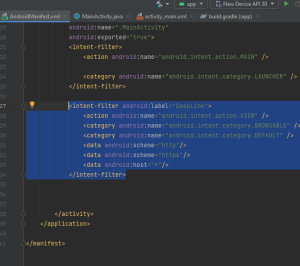
2.past this code on first publice class of AndroidManifest.xml
private String webUrl = "https://www.hlomart.com";
3. Past this code after “setContentView(R.layout.activity_main);” on AndroidManifest.xml
Intent intent = getIntent();
        Uri data = intent.getData();
        if(data !=null)
        {
            webUrl = data.toString();
        }