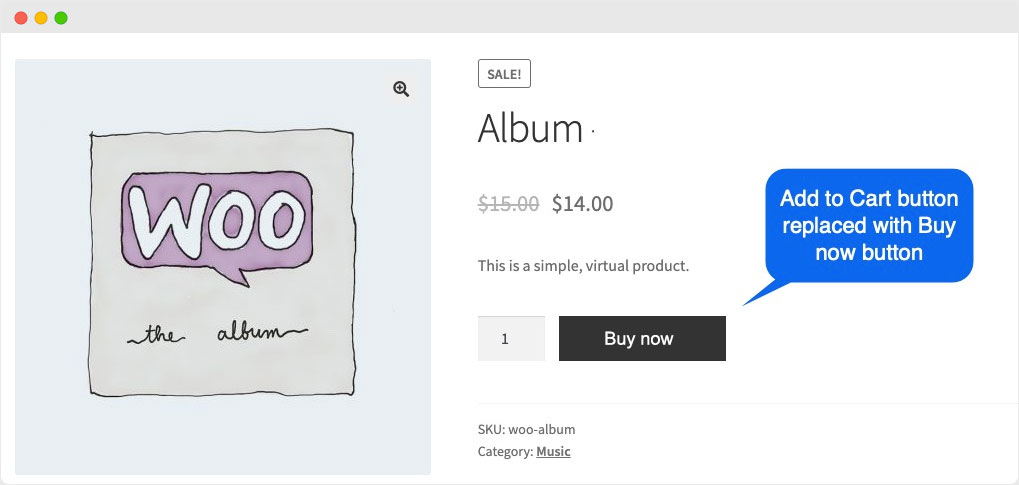
Without Plugins

Add Buy Now Button in WooCommerce Without Plugin

Add below code in functions.php file. Buy and empty Cart  // Add Buy Now button on product page add_action( ‘woocommerce_after_add_to_cart_button’, ‘add_buy_now_button’ ); function add_buy_now_button() { global $product; echo ‘<a href=”‘ . esc_url( wc_get_checkout_url() ) . ‘?buy-now=’ . $product->get_id() . ‘” class=”button alt”>Buy Now</a>’; } // Handle Buy Now button redirect to checkout page add_action( ‘template_redirect’,

Add Buy Now Button in WooCommerce Without Plugin Read More »

How to change Add to Cart button text in Woocommerce Website in to Buy Now

go to Dashboard > Appearance > Theme Editor > Theme Functions (functions.php)   past this code at the end of this file Singal product Page :-   add_filter( ‘woocommerce_product_single_add_to_cart_text’, ‘woocommerce_add_to_cart_button_text_single’ ); function woocommerce_add_to_cart_button_text_single() {return __( ‘Buy Now’, ‘woocommerce’ ); }   Shop page add_filter( ‘woocommerce_product_add_to_cart_text’, ‘woocommerce_add_to_cart_button_text_archives’ ); function woocommerce_add_to_cart_button_text_archives() {return __( ‘Buy Now’, ‘woocommerce’ );}  

How to change Add to Cart button text in Woocommerce Website in to Buy Now Read More »