

How to set Browser caching to speed up your website without plugin
How to set Browser caching to speed up your website without plugin Read More »

If you want to add some additional code to the above solution, you can use the following code snippet in your WordPress functions.php file. Redirect to Home Page // Redirect 404 Page into Home Page function redirect_404_to_homepage() { if (is_404()) { wp_redirect(home_url(), 301); exit(); } } add_action(‘template_redirect’, ‘redirect_404_to_homepage’); This code checks if the current page
How to redirect 404 error page to homepage in WordPress without Plugin Read More »

go to dashboard > Customize > CSS > Past this Code .ast-mobile-header-wrap { position: fixed; top: 0; left: 0; width: 100%; z-index: 9999; background-color: #FCEDEC; } this Code for mobile meny header you have to find out your header Label by Inspect and replace it
How to make sticky header or fixed header with out plugin Read More »

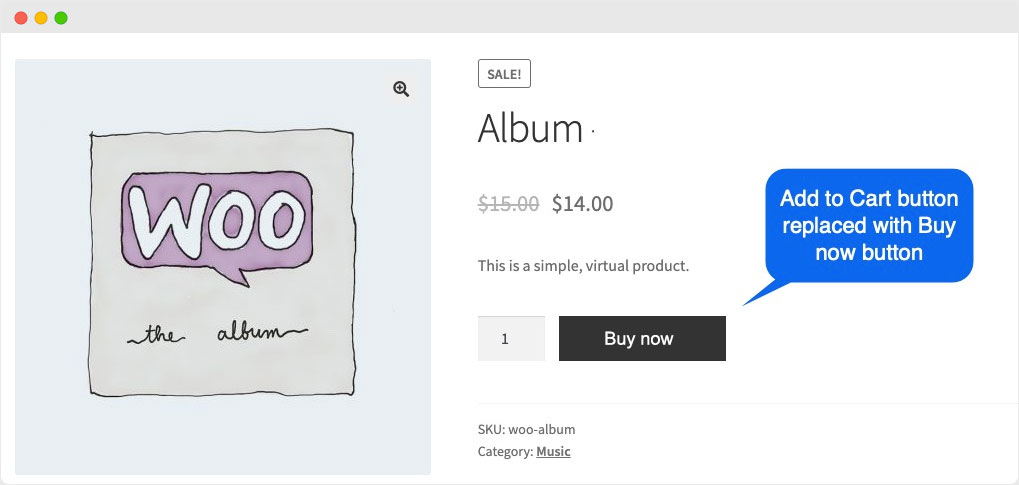
Add below code in functions.php file. Buy and empty Cart // Add Buy Now button on product page add_action( ‘woocommerce_after_add_to_cart_button’, ‘add_buy_now_button’ ); function add_buy_now_button() { global $product; echo ‘<a href=”‘ . esc_url( wc_get_checkout_url() ) . ‘?buy-now=’ . $product->get_id() . ‘” class=”button alt”>Buy Now</a>’; } // Handle Buy Now button redirect to checkout page add_action( ‘template_redirect’,
Add Buy Now Button in WooCommerce Without Plugin Read More »

go to thame edit > Appearance > Thame Edit > Theme Header (header.php) Remove this Code which is on Header Note: if you didn’t get Install Astra Thame ) <meta name=”viewport” content=”width=device-width, initial-scale=1″>
How to make Desktop site your website for Mobile without plugin Read More »
Go tho Thame Edit >> Functions.php >> Past this code on down below 2. For Archives or Shop Page
How to change Add to cart button text in woocommerce Read More »

For Login :- [wc_login_form] For Registration :- [wc_registration_form] Demo Link :- https://wcblogs.com/woocommerce-registration-form-shortcode/
Make WooCommerce Registration and Login Form Shortcode Read More »